 Flixtasy
Make a whole series with AI. Get paid by the people who love it.
Flixtasy is one platform with two apps. Creators make and publish series in FlixStudio with Flix AI. Viewers watch, follow and become Fans on FlixPlay.
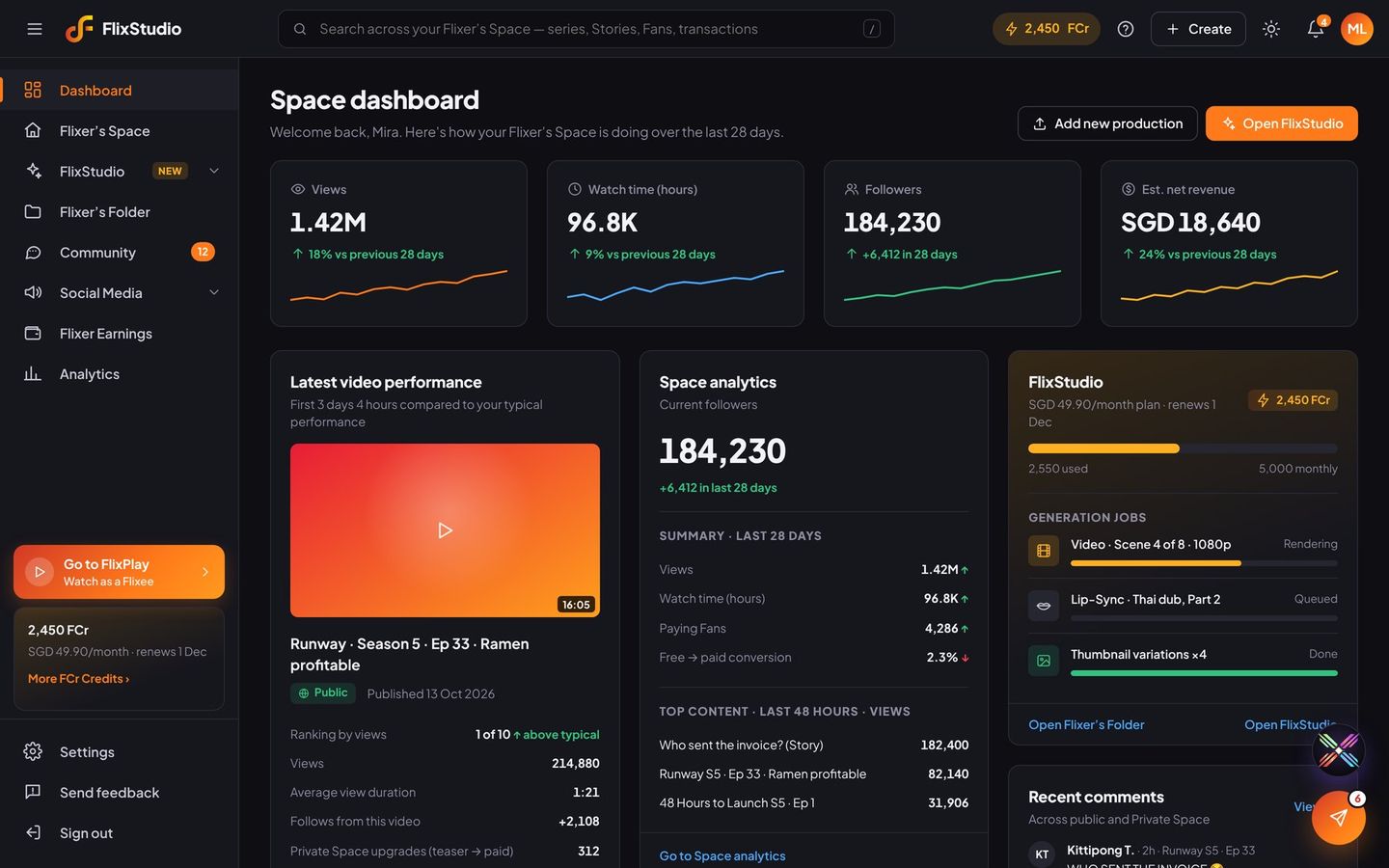
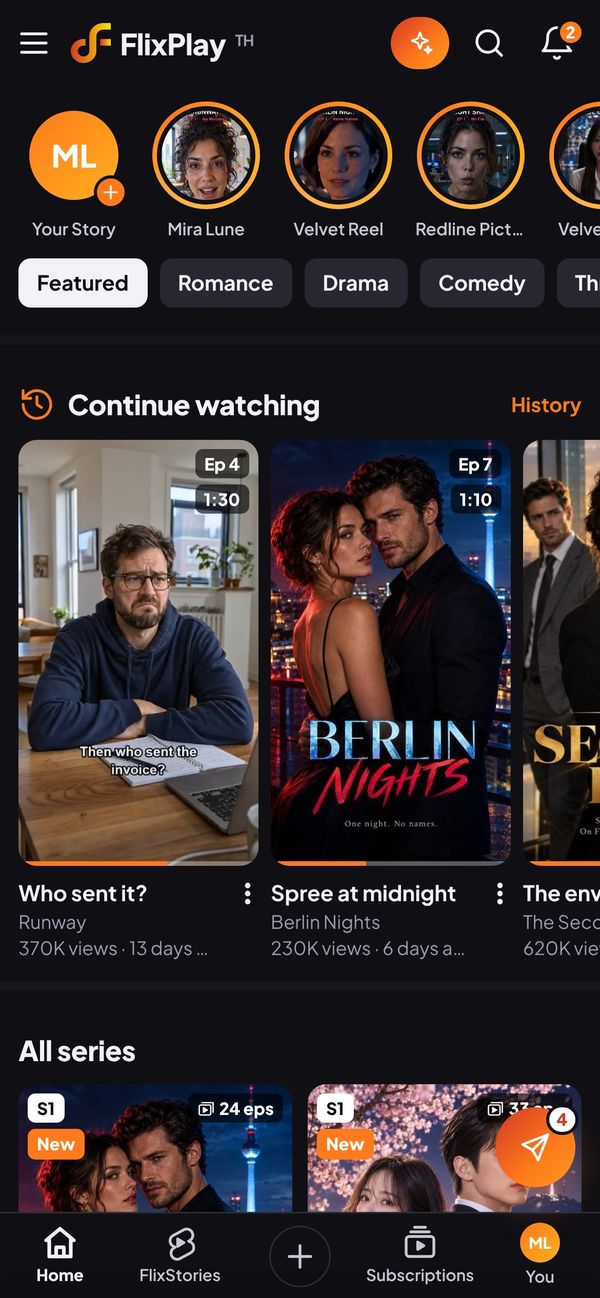
One platform. Two apps. Flix AI inside everything.
We built Flixtasy for the people who make short drama, comedy and action series, and for the people who binge them on their phones.
FlixStudio
The creator dashboard. Write, cast, storyboard, film, voice and dub a series with Flix AI, publish it, share it everywhere and see what you earn.
Explore FlixStudio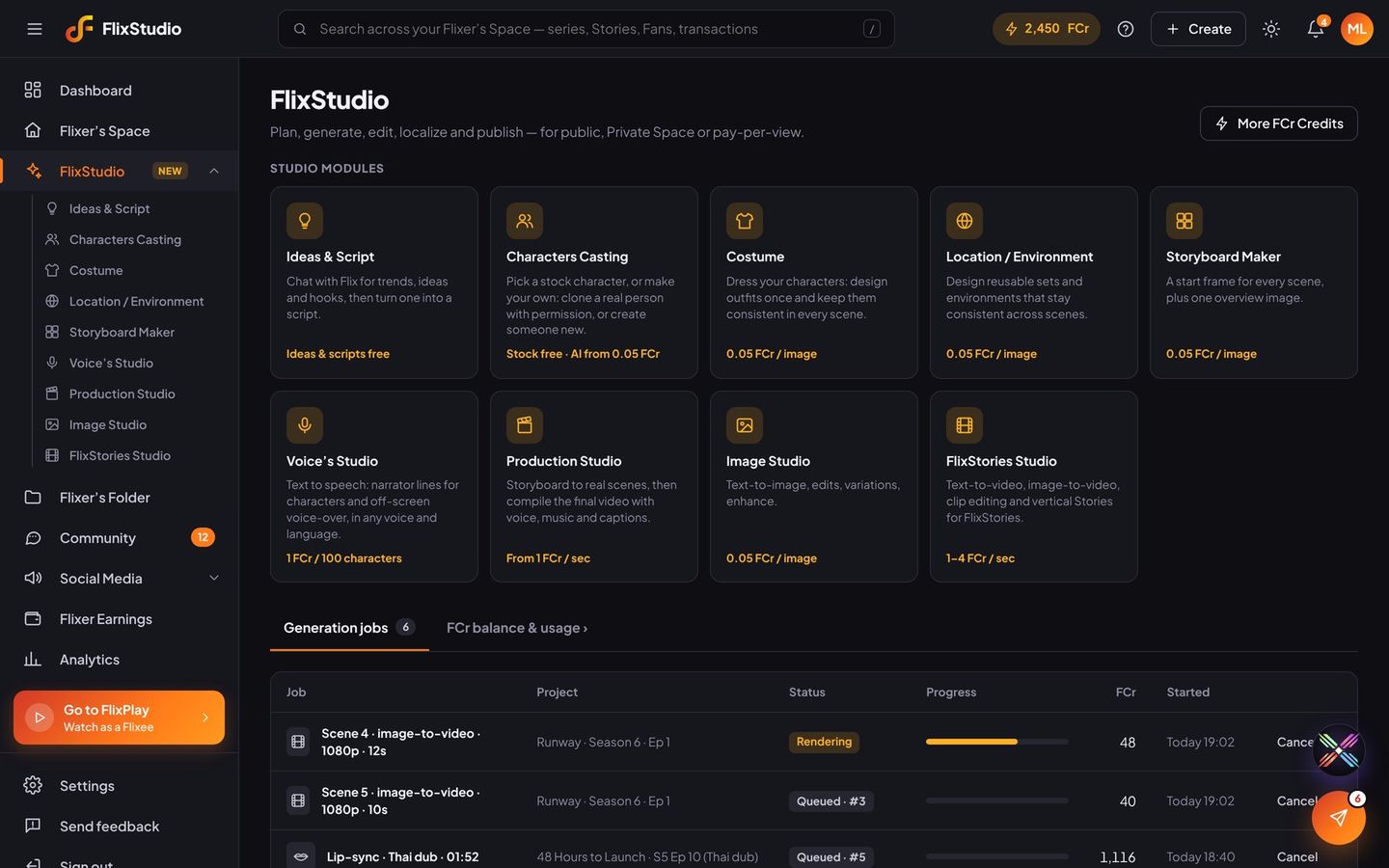
FlixPlay
The viewer app, made for phones. Binge vertical series and 15-second FlixStories, follow your favourite Flixers, message them and join their Private Spaces.
Explore FlixPlay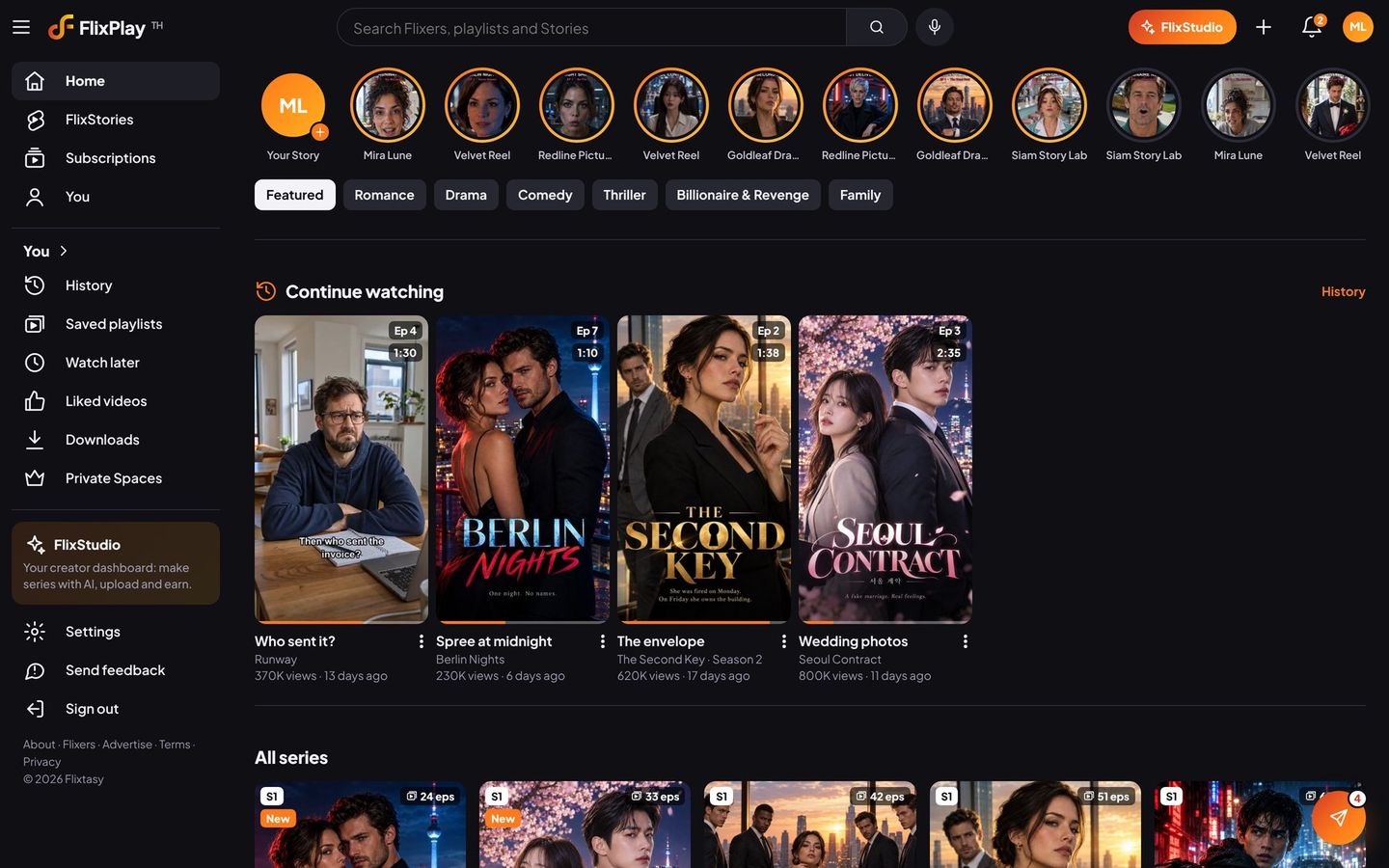
From idea to income, in one place.
Every step a creator needs, connected. What you make in FlixStudio goes straight to FlixPlay and out to your social channels.
Create
Flix AI writes the script, casts the characters, builds the sets, films each scene and voices every line.
Publish
Send episodes and 15-second Stories to FlixPlay: free, Fans-only or pay-per-view.
Reach
Post on eight social platforms from FlixStudio, each with a link that brings viewers back to FlixPlay.
Earn
Fans subscribe, buy special episodes and send tips. Brands sponsor. Payouts arrive every month.
Lower costs. More ways to earn.
A series used to need a crew, a set and a budget. With Flix AI it needs an idea and a few hundred FCr. Then every viewer you reach is a chance to earn.
- Make more for less. Pay per second of video, and only for what you generate. Ideas are free.
- Own your audience. Followers are free; Fans pay you one monthly price for your Private Space.
- Grow everywhere. Every social post links back to FlixPlay, and you see which posts bring Fans.
- Let Flix do the busywork. Flix Assistant replies to fans and runs tasks for you, right inside FlixStudio.
What could your Private Space earn?
Move the sliders. Fan subscriptions pay the Flixer 70%.
SGD 6,930
An example only, before taxes and payment fees. Tips, pay-per-view, brand deals and ads come on top.
Creators keep most of what viewers pay.
Tips
On any episode, Story, comment or message
Brand deals
Sponsored outfits, products and placements
Pay-per-view
A one-off price for a special episode
Ticketed live
Tickets for scheduled live streams
Fan subscriptions
One monthly price for your Private Space
Ads
Revenue from ads on your free episodes
Post everywhere. Bring viewers home.
Share an episode or Story to Facebook, Instagram, TikTok, LinkedIn, X, WhatsApp, Telegram and LINE in one go. Every post links back to FlixPlay, and FlixStudio counts the clicks and new Fans each one brings.
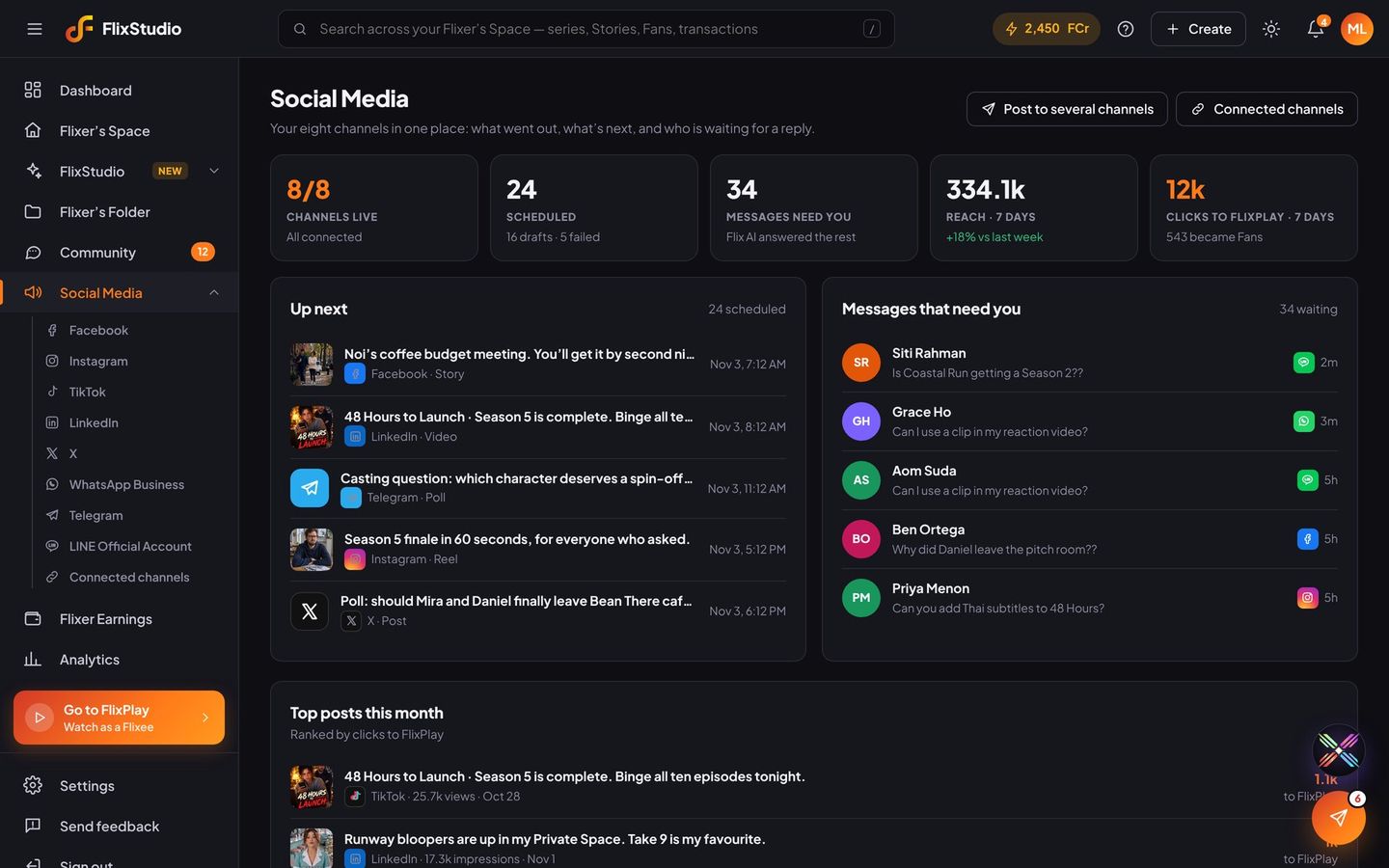
One click. FlixPlay and every channel.
Add a Story in FlixStudio or FlixPlay, tap Post, and it goes to FlixPlay and every social channel you’ve connected. They’re all ticked for you.
- FlixPlay is always included. Your Story lands on your channel for Flixees and followers.
- Every connected channel, already ticked. TikTok, Instagram, Facebook, LinkedIn and X get the video; WhatsApp, Telegram and LINE send a broadcast.
- Every post links home. Each one carries a link back to the Story on FlixPlay, and FlixStudio counts the clicks and new Fans.
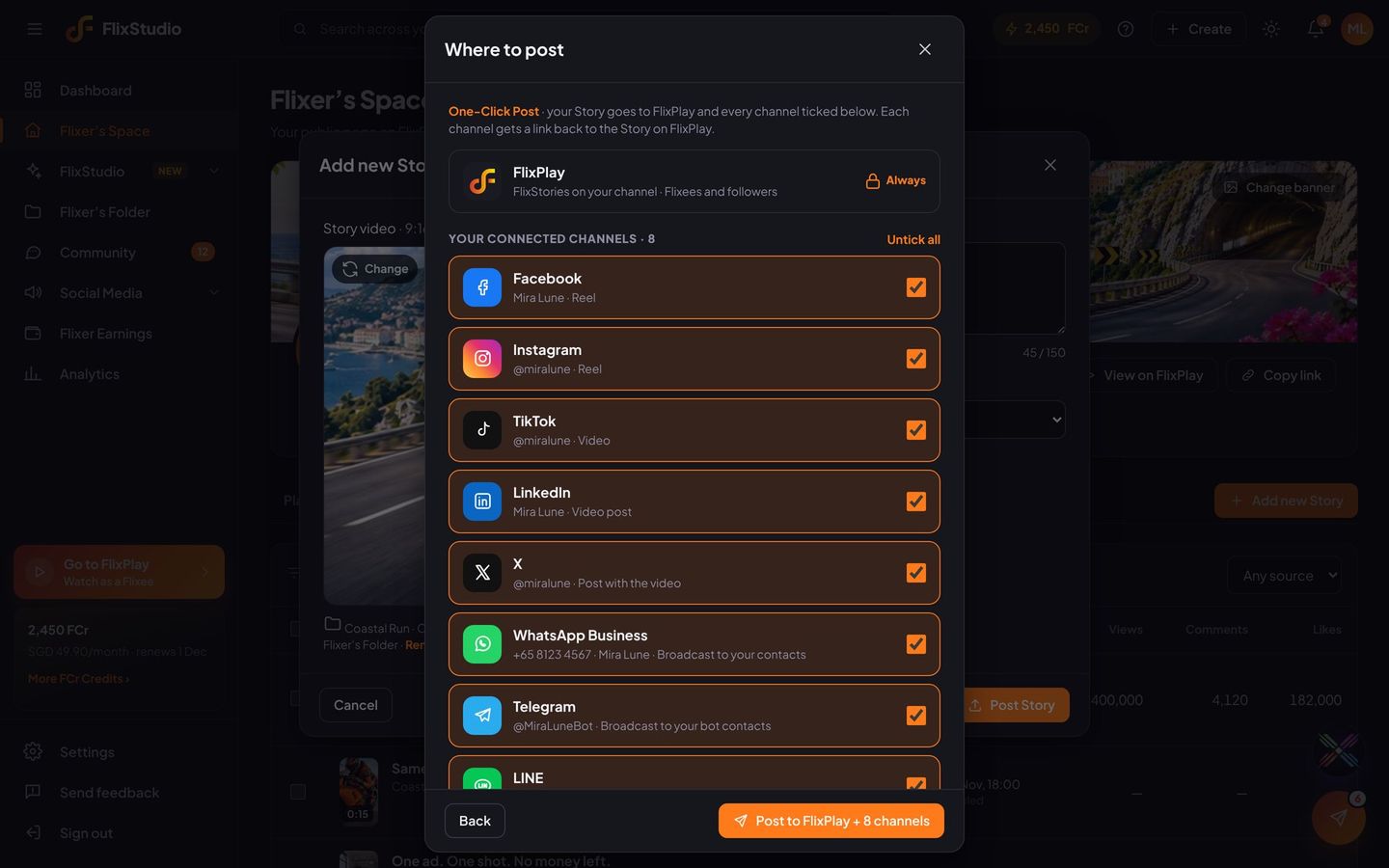
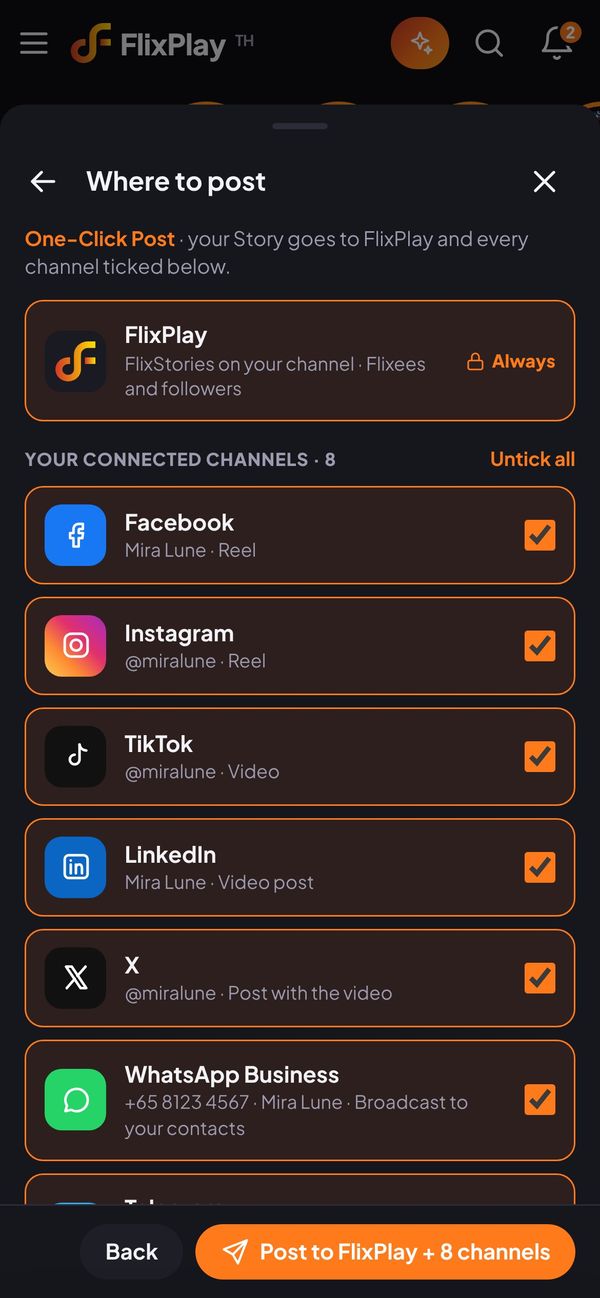
Ask Flix. It gets it done.
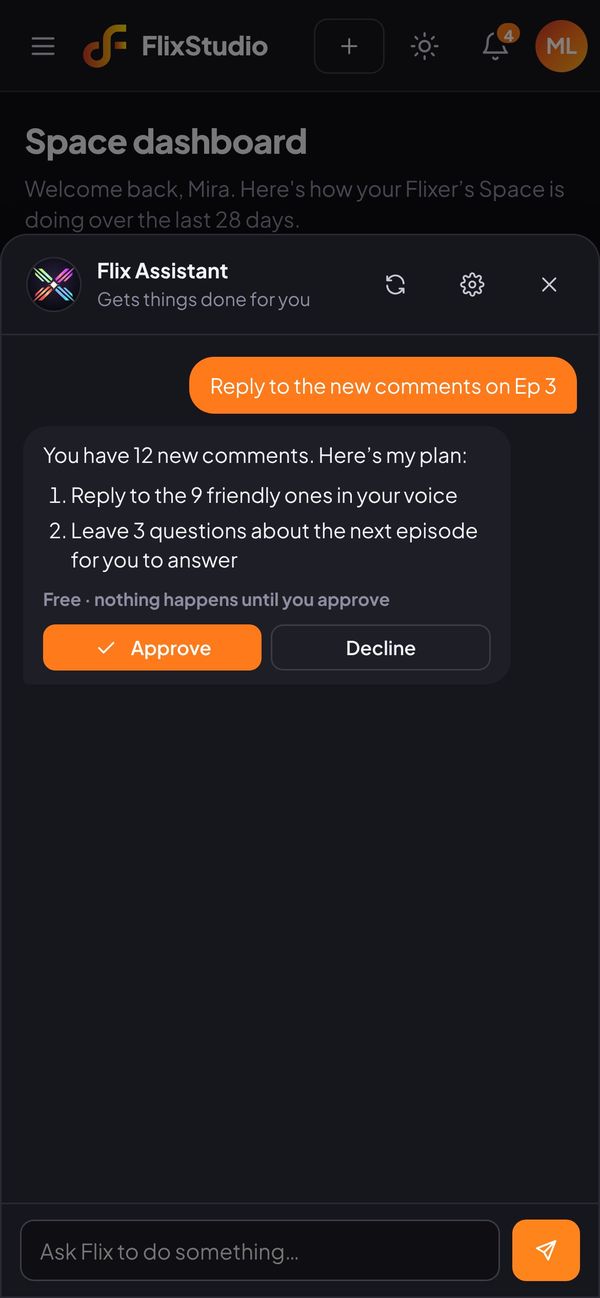
Flix Assistant lives inside FlixStudio. Tap the Flix button on any page and type what you need, the way you’d message a teammate. Flix shows its plan and what it will cost, then does the work when you approve.
- Uses the same tools you do. Teasers, scripts, storyboards, posts, replies, earnings and analytics.
- Plan and price first. Nothing that uses FCr or goes public happens until you tap Approve.
- On every page, on desktop and phone. On a phone you can drag the button anywhere.
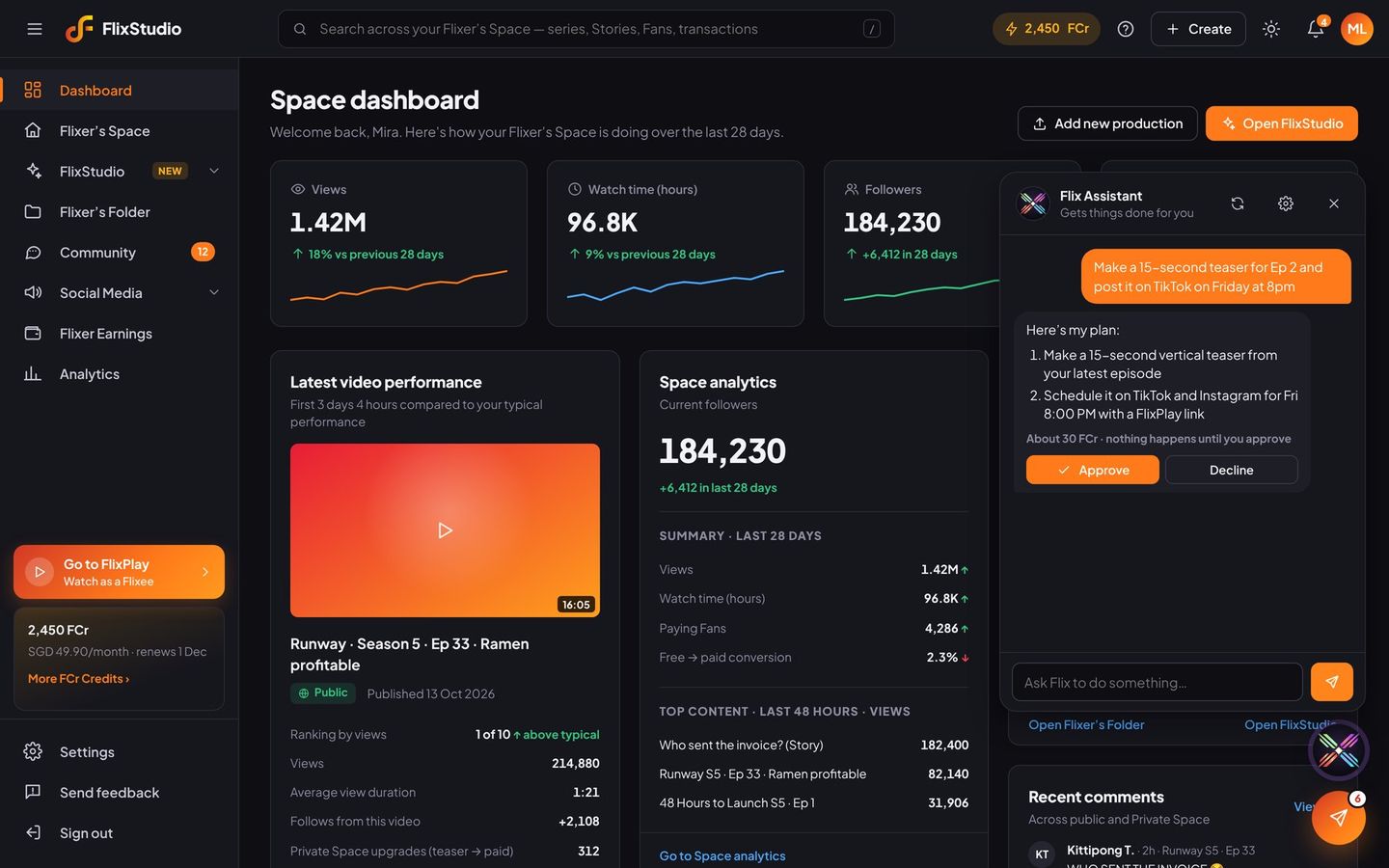
Ask
Tap the Flix button and type a task. “Make a teaser for Ep 2 and post it on Friday.”
Check the plan
Flix lists each step and how many FCr it will use. Ideas, scripts and replies are free.
Approve
Tap Approve and Flix does it in FlixStudio. Tap Decline and tell it what to change.
You stay in control
Payouts, bank details and your account are always off-limits, and every action is logged.
Be one of the first Flixers.
Early access is opening in waves across Southeast Asia. Tell us what you want to make.